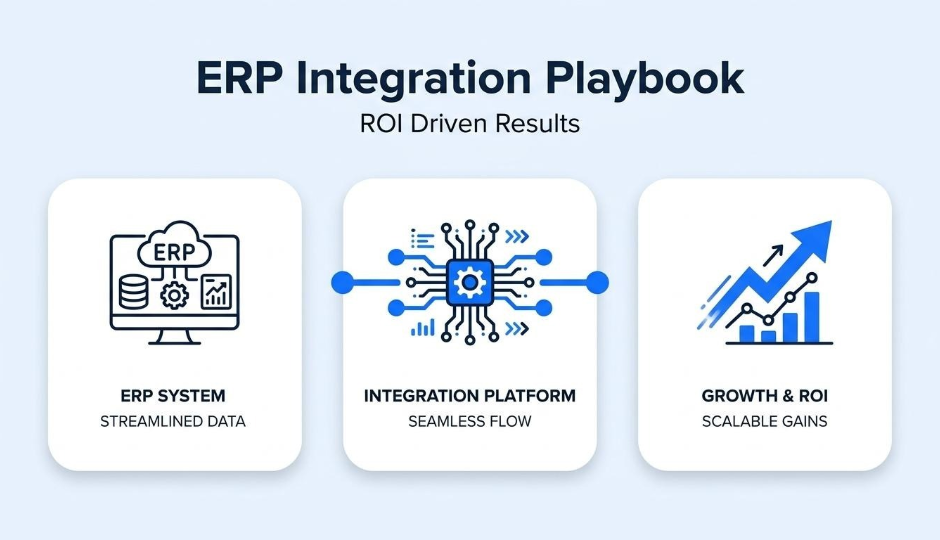
A B2B ERP integration playbook is a structured plan for connecting enterprise resource planning systems with ecommerce, inventory, order management, and finance applications to eliminate manual workflows and generate measurable returns. We built this guide to cover the business case for integration, core system connections, integration methods, implementation planning, ROI measurement, common mistakes, vendor evaluation, and the hidden cost of tool sprawl.
B2B ecommerce brands lose margin every time staff manually rekey orders, reconcile mismatched inventory counts, or chase invoicing errors across disconnected platforms. ERP integration automates these data exchanges, with documented cases showing payback in under six months and three-year returns exceeding 300%.
Connecting the right systems determines whether integration delivers value or just adds complexity. We walk through ERP links to ecommerce storefronts, CRMs, warehouse management, order management, accounting, and POS, explaining what data flows between each pair and why bidirectional sync matters for B2B pricing and fulfillment accuracy.
Choosing between point-to-point connections, middleware, iPaaS, custom APIs, and EDI depends on current system count and projected growth. Each method carries distinct tradeoffs in coupling, maintenance cost, and scalability that directly affect long-term ROI.
A phased roadmap prevents the failures that big-bang launches create. We cover data flow mapping, integration prioritization by labor cost and revenue impact, internal ownership structures, and realistic timelines benchmarked against industry medians.
Tracking order processing time, inventory accuracy, manual entry cost reduction, and fulfillment-driven revenue isolates where integration creates financial lift. We also detail the mistakes that erode these gains, from dirty data migration to ignoring scalability, and outline the security and compliance standards every integration vendor should meet.
B2B ERP integration matters for ecommerce brands because it eliminates the data silos, manual workflows, and fulfillment errors that erode margins at scale. The following sections cover the problems disconnected systems create, how integration cuts operational costs, and when the investment starts paying for itself.
A disconnected ERP creates data silos between the storefront, warehouse, and finance systems. When order, inventory, and customer records live in separate databases, staff must reconcile information manually. This leads to overselling, shipping delays, invoicing errors, and inconsistent pricing across channels. As Oracle NetSuite's ecommerce integration guide explains, without linked systems a company handles each platform separately, preventing it from responding quickly to changing market conditions and customer behaviors. For B2B brands processing high-volume, contract-priced orders, even small sync gaps compound into costly chargebacks and damaged buyer relationships.
ERP integration reduces operational costs by automating data exchange between commerce, inventory, and accounting systems. Manual re-keying of orders, stock updates, and invoices consumes labor hours that scale linearly with order volume. According to a Boomi-commissioned Forrester Total Economic Impact study, the Boomi Enterprise Platform reduced integration development times by 65%, an increased efficiency value of more than $3.7 million, enabling businesses to connect data, applications, and people in hours or days instead of weeks or months. Eliminating redundant data entry also lowers error rates, which reduces returns processing and credit-note overhead. For growing B2B ecommerce operations, these savings free teams to focus on revenue-generating work rather than reconciliation tasks.
ERP integration starts paying for itself within months, not years, when scoped correctly. The same Forrester TEI study found that the Boomi Enterprise Platform delivered a 410% return on investment over a three-year period, with the platform paying for itself in less than six months. Entry-level iPaaS subscriptions can start as low as €20 per month for tools like n8n or €499 per month for mid-tier platforms like Alumio, making initial costs manageable for brands testing a phased rollout. The faster ROI comes from compounding savings: each automated workflow removes a recurring labor cost while simultaneously improving data accuracy. Brands that delay integration often underestimate how quickly manual processes consume the budget that could fund the project itself.
Understanding why integration matters sets the foundation; the next step is identifying which core systems your B2B ERP should connect.
A B2B ERP integration should connect the core systems that handle commerce, customer relationships, inventory, orders, accounting, and point of sale. Data flows through a central integration broker, which provides data transformation and transport services between sending and receiving applications.
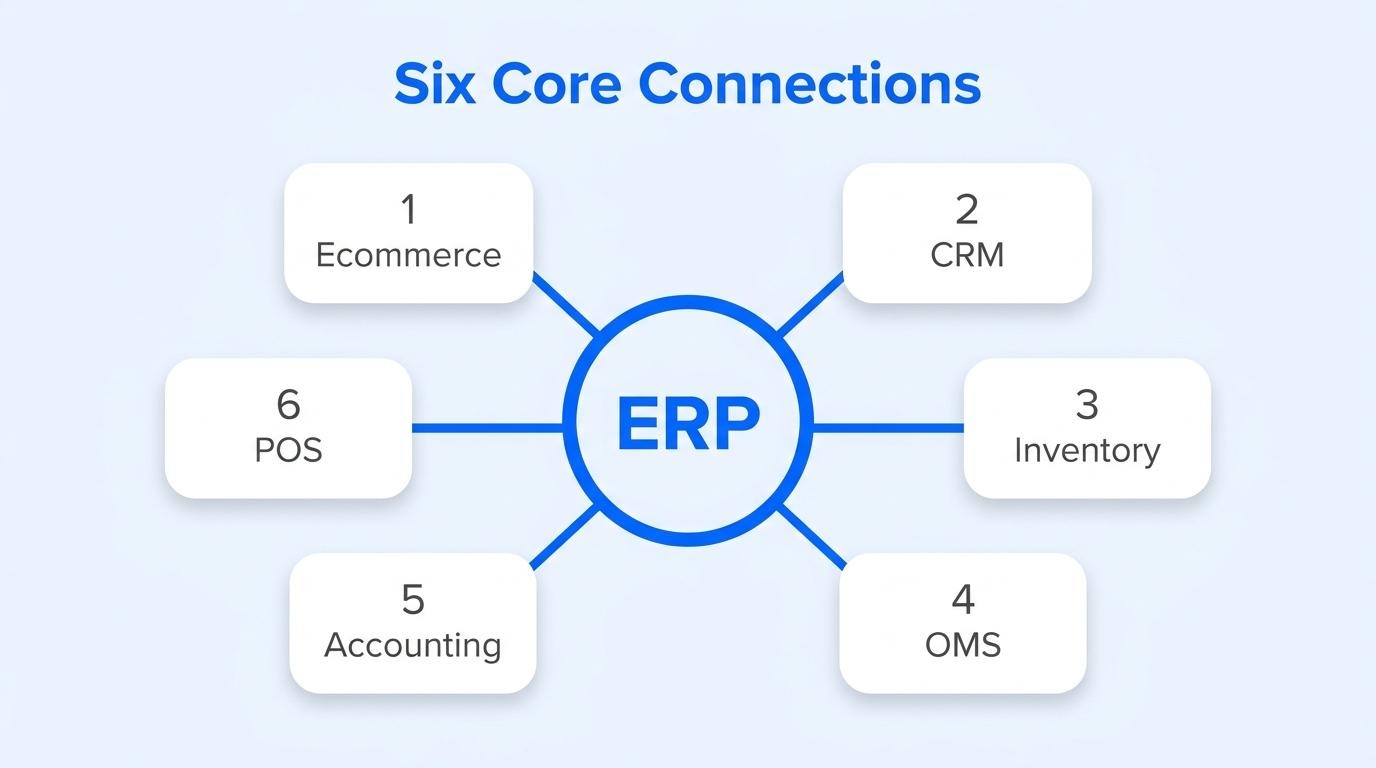
ERP-to-ecommerce platform integration works by syncing product catalogs, pricing, inventory levels, and order data between the storefront and the ERP in near-real time. Point-to-point approaches use custom code between endpoints, tightly coupling them to create connectivity. This method works initially, but as business requirements change, scaling becomes nearly impossible due to intertwined, hardcoded integrations.
Most growing B2B brands adopt iPaaS instead. Gartner defines integration platform as a service (iPaaS) as a vendor-managed cloud service that enables users to implement integrations between applications, services, and data sources, both internal and external to their organization. For teams running high order volumes across multiple channels, iPaaS eliminates the brittleness that point-to-point connections introduce at scale.
ERP-to-CRM integration unifies customer data by synchronizing account records, order histories, credit terms, and support interactions between the CRM and the ERP. Without this connection, sales teams work from stale records while finance operates on a separate data set.
Bidirectional sync is critical. Microsoft's Dual-write infrastructure, for example, provides near-real-time interaction between customer engagement apps and finance and operations apps through tightly coupled, bidirectional integration with Dataverse. According to an IDC Business Value White Paper sponsored by SAP, organizations using SAP Integration Suite achieved a 368% three-year return on investment with an eight-month payback, generating an average of $47,900 in annual benefits per integrated application.
With the average company now deploying 93 apps, keeping CRM and ERP data aligned is no longer optional.
ERP-to-inventory management integration works by connecting warehouse management systems, demand planning modules, and stock-level databases to the central ERP. This link ensures that every purchase order, receipt, transfer, and adjustment updates a single inventory record.
ERP integration optimizes business process management by connecting interconnected applications that automate back-end functions such as production, shipping, and financial accounting through ERP modules. When inventory data feeds directly into the ERP, reorder points trigger automatically, stockouts decrease, and overstock carrying costs drop. For B2B sellers managing thousands of SKUs across multiple warehouses, this connection is the foundation of fulfillment accuracy.
ERP-to-order management integration works by passing order data, fulfillment status, shipment tracking, cancellations, and returns between the OMS and the ERP without manual intervention. Each online or offline order triggers downstream workflows: inventory reservation, pick-pack-ship sequencing, invoice generation, and revenue recognition.
Key data objects that flow between these systems include:
Automating this exchange eliminates the rekeying errors that plague high-volume B2B operations.
ERP-to-accounting and finance integration works by automatically posting journal entries, accounts receivable and payable records, tax calculations, and revenue recognition events from operational systems into the general ledger. This removes the reconciliation burden that manual data transfers create at month-end close.
When orders, inventory adjustments, and payments flow directly into accounting modules, the finance team gains a continuous, auditable trail. Automated tax engines calculate sales tax based on shipping address and company location, reducing compliance risk across multi-state B2B operations. For brands processing thousands of invoices monthly, this integration compresses close cycles from weeks to days.
ERP-to-POS integration syncs offline and online by transmitting in-store transactions, inventory movements, and customer records to the ERP in near-real time. When a customer places an online order, ecommerce integration alerts a company's business systems to update inventory levels, trigger fulfillment workflows, and record the transaction in the accounting system.
Without this sync, gaps emerge quickly. According to Lightspeed's documentation, payments received in standalone and offline mode are not synced to sales history and do not affect inventory records. They appear exclusively in payment reports, creating blind spots for operations teams. For B2B brands operating showrooms alongside digital storefronts, unifying POS and ERP data prevents stock discrepancies that erode buyer trust.
With these core connections mapped, the next step is choosing the right integration method for each system pair.
The most common B2B ERP integration methods are point-to-point integration, middleware and iPaaS, custom API integration, and EDI-based integration. Each method differs in complexity, scalability, and cost.
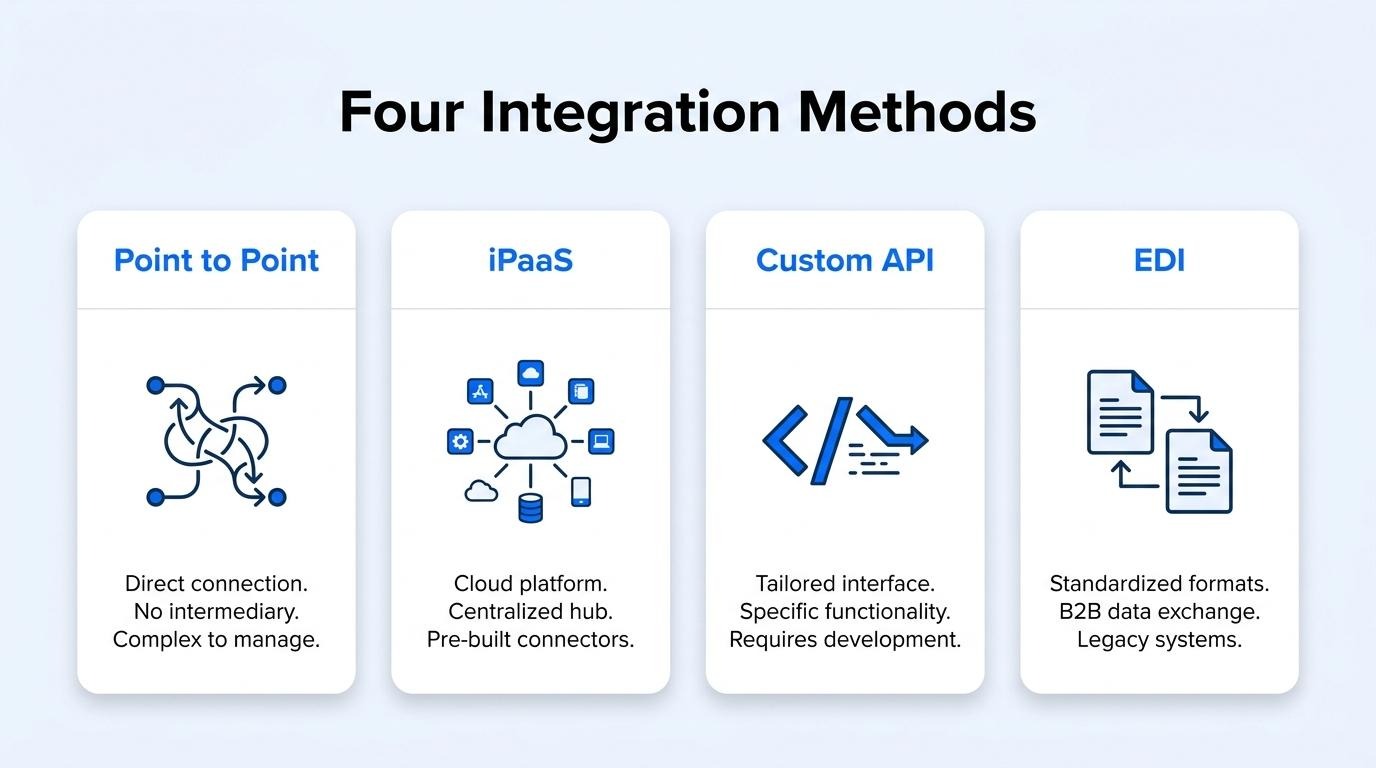
Point-to-point integration connects two systems directly through custom-coded links. Each connection handles data mapping, transformation, and transport between a specific pair of endpoints. This approach works well when a business runs only a few systems, but complexity multiplies as connections grow. According to Red Hat, enterprise integration models evolved from relatively small numbers of point-to-point connections to centralized enterprise service bus architectures, then to distributed designs with many reusable endpoints. The core limitation is tight coupling: changing one system forces updates across every connected pair, making maintenance expensive as the stack expands.
Middleware and iPaaS integration routes data through a central hub instead of linking each system pair directly. An integration broker or enterprise service bus sits between applications, handling data transformation and transport so individual systems remain loosely coupled. iPaaS extends this concept to the cloud. Gartner defines iPaaS as a vendor-managed cloud service that enables users to implement integrations between applications, services, and data sources, both internal and external to their organization. Pre-built connectors for common ERPs, ecommerce platforms, and CRMs reduce development time significantly. For scaling B2B brands managing multiple channels, iPaaS eliminates the maintenance burden that point-to-point connections create.
Custom API integration uses REST, SOAP, or webhook endpoints to exchange data between an ERP and other systems on demand or in near-real time. REST APIs follow standard HTTP methods where idempotent requests can safely retry after communication failures. Webhooks, commonly known as reverse APIs or push APIs, provide a way for applications to communicate in near-real time by pushing event-driven notifications as they occur, according to the AWS Compute Blog (2023). Custom APIs offer precise control over data payloads and transformation logic. However, they require dedicated development resources to build, document, version, and maintain, making them best suited for workflows where off-the-shelf connectors fall short.
EDI-based integration uses standardized electronic document formats to exchange business transactions between trading partners. Two dominant standards govern most B2B EDI traffic:
EDI remains essential in industries where large retailers and distributors mandate it for purchase orders, invoices, and advance ship notices. The format is rigid by design, which enforces data consistency but limits flexibility compared to API-driven methods.
Understanding these integration methods clarifies which architecture fits a given scale; the next step is building a roadmap that sequences them effectively.
You build a B2B ERP integration roadmap by mapping existing data flows, ranking integrations by business impact, assigning internal ownership, and setting realistic timelines. The following sub-sections break down each phase.
The data flows you should map before integrating are every system-to-system exchange that touches orders, inventory, customer records, pricing, and warehouse operations. Start by documenting which application originates each data object and which systems consume it downstream.
According to the ASCM Supply Chain Dictionary, a WMS is a computer application system designed to manage and optimize workflows and the storage of goods within a warehouse, often interfacing with automated data capture and ERP systems. That interface is one of dozens you need to catalog. For each flow, record:
Skipping this audit is the single fastest way to build integrations that duplicate records or drop transactions silently.
You prioritize which integrations to tackle first by calculating the total cost of ownership for each workflow and ranking by ROI potential. Oracle's ERP ROI framework recommends this formula as the starting point:
TCO = purchase price + implementation costs + operating costs (typically five to ten years)
Once you have TCO per integration, weigh each against two factors:
Tackle high-revenue-impact, high-labor-cost integrations first. Save low-frequency, low-error workflows for later phases.
The ERP integration project should be owned internally by a cross-functional project sponsor with executive authority and a dedicated integration lead from IT or operations. Prosci's change management research found that projects with extremely effective sponsors were 79% likely to meet objectives, compared to only 27% with ineffective sponsors.
Assign clear roles beneath the sponsor:
Without a single accountable sponsor, integration projects drift into scope creep and stalled decision-making.
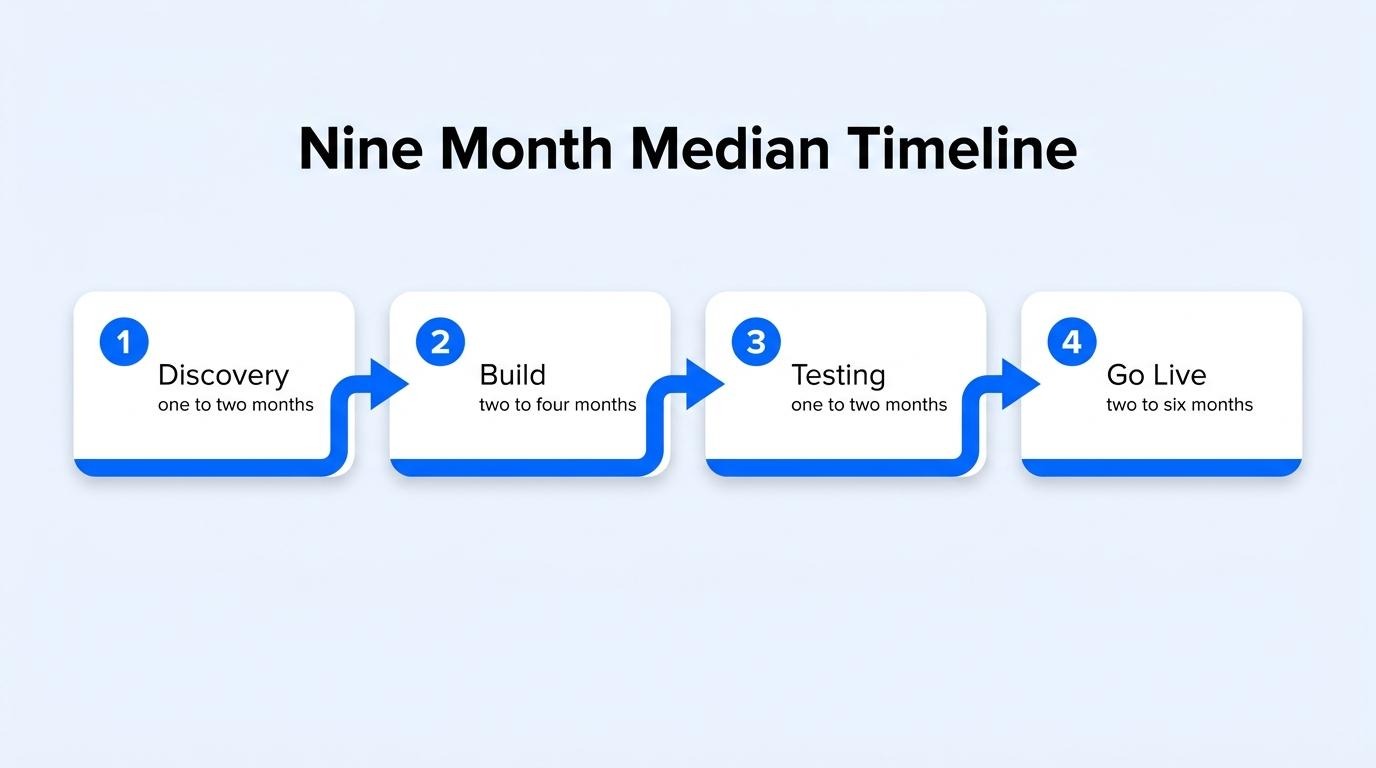
A realistic timeline for a full ERP integration ranges from six to eighteen months, depending on system count, data complexity, and team capacity. Panorama Consulting Group's 2025 ERP Report, covering 172 respondents, found the median ERP project timeline was nine months.
Phased rollouts consistently outperform big-bang launches. Replacing fragile file-based connections with robust API integrations, as documented in vendor case studies, restores operational confidence incrementally rather than risking a single cutover failure.
Plan for these phases:
Compressing these phases increases risk. A nine-month median is a baseline; complex multi-system environments with legacy EDI connections should plan closer to twelve to eighteen months.
With a roadmap in place, the next step is defining KPIs to measure whether each integration delivers measurable ROI.
The KPIs you should track to measure ERP integration ROI include order processing time, inventory accuracy rate, manual data entry cost reduction, and revenue impact from faster fulfillment. Each metric isolates a different layer of operational value.
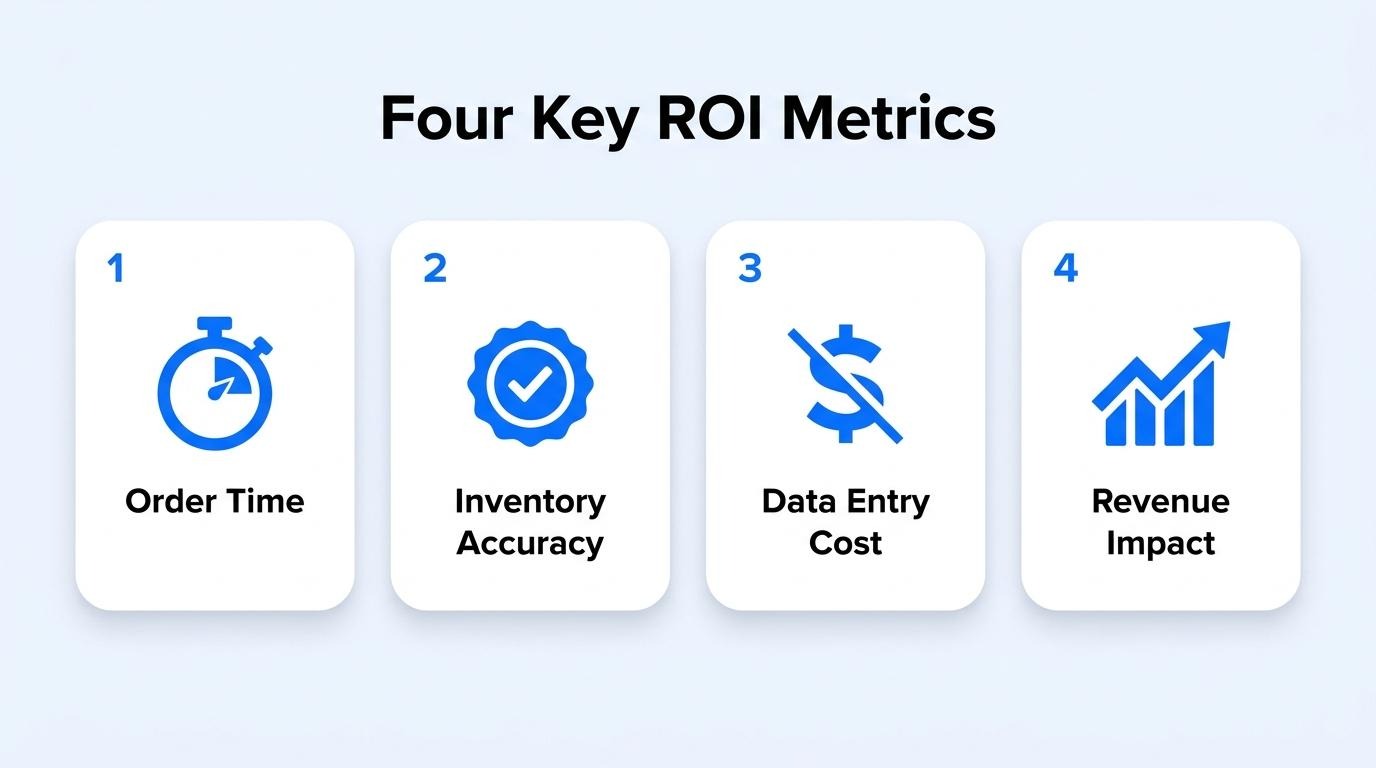
You measure order processing time improvement by tracking the cycle time in hours from customer order receipt to order preparation completion. According to APQC's cross-industry benchmark (measure ID 100509, n=2,720), the median order processing cycle time is 24.0 hours. Comparing your pre-integration baseline against this benchmark reveals how much time ERP automation eliminates from the workflow. Late deliveries also carry a measurable cost: a peer-reviewed study found that late delivery had a statistically significant negative association with customer review ratings (coefficient of −0.610, sig. = 0.05). Tracking both internal cycle time and delivery-related satisfaction scores gives a complete picture of processing improvement.
You quantify inventory accuracy gains by comparing your record-level accuracy rate before and after ERP integration. A 2008 peer-reviewed study published in Management Science (INFORMS) examined nearly 370,000 inventory records across 37 stores and found 65% to be inaccurate. That baseline reveals how severe record discrepancy is without system-level reconciliation. On the other end of the spectrum, organizations using advanced tracking technologies to reconcile product shipments have achieved 99.9% order accuracy. The gap between your current accuracy percentage and these benchmarks translates directly into reduced stockouts, fewer oversells, and lower carrying costs. For most B2B operations, even a 10-point accuracy gain produces measurable savings in expedited shipping and lost-sale recovery.
You calculate reduction in manual data entry costs by applying a simple labor-cost formula: hourly rate multiplied by labor hours equals labor cost. First, audit how many hours staff spend weekly on manual tasks such as rekeying orders, updating inventory counts, and reconciling invoices across systems. Multiply that hourly volume by the fully loaded wage rate. After integration, measure the same tasks again. The difference represents direct labor savings. This KPI is often underestimated because manual entry costs hide across multiple departments; finance, warehouse, and customer service teams all absorb portions. Aggregating the total hours eliminated across every department gives the true cost reduction figure.
You track revenue impact from faster fulfillment by measuring changes in order volume, average order value, and customer satisfaction scores after integration shortens delivery timelines. Faster fulfillment directly influences repeat purchase behavior and review ratings. As Matthias Schumacher, Head of Operations at hagebau connect, noted in an IBM case study: "We're seeing faster resolution and higher satisfaction ratings from our omnichannel customers. Where we were once near the bottom in satisfaction rankings, now we're consistently among the top one or two." Correlating fulfillment speed improvements with revenue per customer segment isolates the financial lift. Shorter promised delivery windows tend to increase sales, though monitoring return rates alongside revenue ensures the gains are sustainable.
With clear KPIs established, the next step is identifying integration mistakes that erode these results.
The biggest B2B ERP integration mistakes involve dirty data migration, missing real-time sync, wrong integration architecture, and failing to plan for growth. Each mistake compounds cost and delays ROI.
Integrating without clean data causes failures because an ERP system inherits every duplicate, outdated, and incomplete record from connected sources. A 2002 peer-reviewed case report published in Emerald's Industrial Management & Data Systems found that data quality is a critical issue during ERP implementation and that data quality problems can have a significant impact on an organisation's information system. Dirty product codes, mismatched customer records, and inconsistent pricing fields propagate errors across every downstream workflow. The result is broken order routing, incorrect invoices, and fulfillment delays that erode the ROI the integration was designed to deliver. Auditing and deduplicating source data before migration is not optional; it is the single highest-leverage pre-integration step.
Skipping real-time sync requirements creates inventory and order data gaps that grow with every transaction. Batch-only syncs that run overnight or hourly leave windows where stock counts, pricing, and order statuses diverge between systems. Overselling becomes inevitable when a warehouse management system and the storefront reference different availability figures. For high-volume B2B operations processing hundreds of orders per day, even a 30-minute lag can trigger backorders, duplicate shipments, or missed SLA windows. Real-time or near-real-time sync is especially critical for inventory, order status, and customer pricing tiers, which are the three data types most sensitive to latency in B2B commerce.
Choosing the wrong integration method backfires by creating technical debt that blocks future growth. According to MuleSoft, the point-to-point approach tackles integration by implementing custom code between endpoints, tightly coupling them; this method works initially, but as business requirements change, scaling becomes nearly impossible due to intertwined and hardcoded integrations. Selecting point-to-point connections for a system landscape that will eventually span ERP, ecommerce, CRM, OMS, and accounting locks teams into brittle code that breaks with every vendor update. Middleware or iPaaS approaches add a translation layer that absorbs change, so matching the method to current complexity and projected system count is essential before writing the first integration spec.
Ignoring scalability is a costly oversight because integration architecture built for current order volume often collapses under growth. Adding new sales channels, warehouses, or regional pricing rules to a rigid integration forces expensive rearchitecting, sometimes requiring a full rebuild. A B2B brand processing 500 orders daily today may reach 5,000 within two years; if the middleware layer, API rate limits, and data transformation logic were never stress-tested for that volume, failures cascade across fulfillment and finance systems simultaneously. Planning for scalability means selecting integration tools with elastic throughput, modular connectors, and version-controlled APIs from day one.
With common pitfalls mapped, the next step is evaluating which vendors and tools best fit your integration requirements.
You evaluate ERP integration vendors and tools by assessing their technical fit, partnership quality, and compliance posture. The subsections below cover questions to ask partners, how to compare iPaaS platforms, and which security standards to require.
The questions you should ask an integration partner cover scope, architecture, support, and long-term scalability. According to Adeptia's published ERP integration FAQ, ERP integration optimizes business process management by connecting interconnected applications that manage back-end functions such as shipping, financial accounting, and human resources.
Key questions to include in your evaluation:
Any partner who cannot answer these questions with documented specifics is a risk to your integration timeline.
You compare iPaaS platforms for B2B ERP needs by evaluating connector depth, pricing model, orchestration capabilities, and vendor neutrality. Not every iPaaS handles B2B complexity equally; wholesale pricing rules, multi-location inventory, and EDI requirements separate enterprise-grade options from lightweight workflow tools.
Core comparison criteria include:
For B2B brands managing complex catalogs and tiered pricing, prioritizing connector depth over flashy UI features tends to yield faster time-to-value.
The security and compliance standards you should require span data protection frameworks, payment security, and cloud-specific assessments. B2B ERP integrations move sensitive data, including customer records, payment details, and pricing agreements, between systems. Every vendor in that chain introduces risk.
According to NIST SP 800-161r1, contractual agreements should include periodic revalidation of supplier adherence to security requirements and protocols for reporting vulnerabilities, incidents, and business disruptions.
Essential standards to verify:
Vendors who resist sharing current audit reports or completed security questionnaires should be disqualified early. With vendor security validated, the next consideration is how tool sprawl across your broader stack can quietly erode integration gains.
Tool sprawl undermines ERP integration for DTC brands by multiplying data silos, sync failures, and maintenance costs across disconnected applications. The sections below cover what changes when commerce, CRM, and ERP data converge into one system, and the key takeaways for achieving integration ROI.
Commerce, CRM, and ERP data living in one system eliminates the reconciliation loops that fragment order, inventory, and customer records across separate tools. When these data layers share a single source of truth, purchase orders flow directly into fulfillment without manual re-keying, and pricing updates propagate instantly across channels.
A 2002 peer-reviewed case report published in Emerald's Industrial Management & Data Systems found that data quality problems during ERP implementation can have a significant impact on an organization's information system. Consolidation reduces these risks because fewer handoff points mean fewer opportunities for records to drift or corrupt.
Hershey's 1999 experience illustrates the cost of fragmented systems: a significant order backlog resulted from customer service and fulfillment problems during new business system rollouts. For scaling DTC brands running five to fifteen apps, each additional tool introduces another potential failure point between the storefront and the ERP.
The key takeaways about B2B ERP integration that delivers ROI center on three principles: clean data, phased implementation, and measurable benchmarks.